Request a Quote
Share your product list, technical ratings, quantity and delivery destination.
Read transformer symbols with the drawing legend. Check annotations, missing ratings and model documents before preparing a procurement RFQ.
A transformer symbol identifies a transformer in an electrical drawing. Coil-style examples depict windings; an iron-core example adds parallel lines between them. Both appear in the DOE drawing handbook.[1] For procurement, use the symbol to locate the equipment, then check its tag against the approved schedule and datasheet.
The purchasing question is which requirements the drawing actually defines. Keep missing ratings, disputed revisions and undocumented assumptions visible in the request for quotation (RFQ).
Open the legend and title block before interpreting an isolated symbol. Record the drawing number, revision, issue purpose and referenced convention. Ask the designer to resolve a symbol that conflicts with the legend.
DOE’s published example, Figure 1 on printed page PR-03 2, distinguishes single-phase, tapped, adjustable and iron-core forms. It also includes current and potential transformer examples.[1] The following table uses that historical teaching example as a recognition aid. Apply the project’s own legend to the actual drawing.
| Drawing feature | Recognition clue | Procurement follow-up |
|---|---|---|
| Facing winding shapes | A coil-style transformer symbol in the DOE example.[1] | Match the equipment tag to the schedule. |
| Parallel lines between windings | The DOE iron-core example.[1] | Request the specified construction; do not infer cooling or insulation. |
| An additional winding connection | A tapped example in that figure.[1] | Obtain the tap schedule and adjustment method. |
| Current or potential transformer designation | A separate instrument-transformer role is indicated.[1][4] | Identify the measurement or protection specification. |
IEC 60617’s public introduction describes a database of graphical symbols for electrotechnical diagrams. Access to the collection requires a subscription; that introduction does not establish which symbol your drawing uses.[2] For an “ANSI transformer symbol,” ask for the exact reference and edition. The ANSI catalogue lists IEEE 315-1975 as historical.[3] A search result labelled ANSI is insufficient evidence of the project’s required convention.
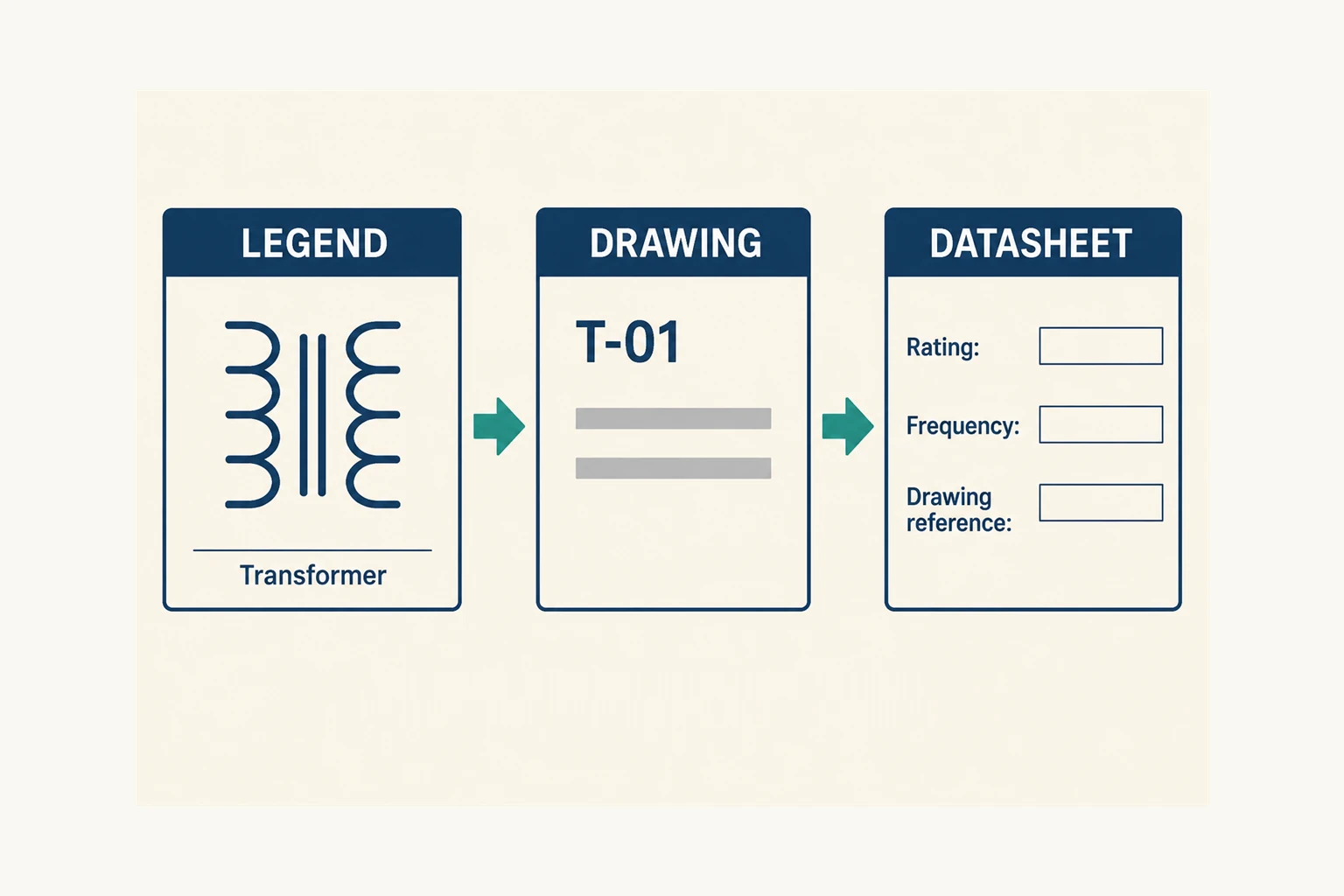
Start with the equipment tag, then copy its associated annotations into a review sheet. Preserve units and the distinction between required values and a supplier’s proposed values. Include the schedule reference so another reviewer can find the information.
DOE cautions that a simplified single-line symbol need not reveal the transformer’s actual phase arrangement or core construction.[1] Leave those fields unresolved until the supporting documents answer them.
In a hypothetical document check, a project drawing identifies a transformer as T-01 and gives voltage labels. Record the labels as drawing requirements. If the linked schedule has no capacity or frequency entry, ask for those inputs instead of completing them from the symbol.
Check the issue status as well. For an RFQ based on a preliminary drawing, ask the supplier to identify assumptions and exclusions against that revision. Record who must resolve each open item before order release. When a revised schedule arrives, compare its changed fields with the quotation and record any differences.
A useful quotation package needs information beyond the graphical mark. Eaton’s data request for a particular engineering-study service illustrates this distinction: it asks for single-line diagrams and transformer schedules, then separately requests winding connections, voltage and capacity ratings, impedance and, where available, test reports.[6]
Use the following as a procurement review checklist. The designer and supplier must confirm which documents apply to the offered equipment.
| Item to resolve | Document to request or cross-check |
|---|---|
| Capacity, voltage and frequency | Approved equipment schedule and offered-model datasheet; show deviations explicitly. |
| Winding connection and vector group, where specified | Approved connection document and matching nameplate information. |
| Isolation requirement and transformer construction | Explicit design requirement and manufacturer confirmation for the proposed model. |
| Impedance and tap information | Applicable datasheet, tap schedule and specified test documentation.[6] |
| H/X markings and polarity information | Model-specific terminal drawing, document revision and legible terminal or nameplate photographs.[5] |
| Evidence for the supplied unit | Report identification linked to the model and serial number, where unit-specific evidence is required. |
H/X lettering deserves a careful document check. In its Class 7400 low-voltage dry-type FAQ, Schneider Electric distinguishes these markings by coil voltage, regardless of which coil connects to the source.[5] Do not relabel H as “primary” in a purchasing schedule without checking the applicable model documents. Ask the engineer to reconcile any disagreement between the drawing, nameplate and offered configuration.
Treat polarity marks similarly: record the relevant drawing reference and request review by the responsible engineer. A generic symbol chart does not authorize a terminal connection. Keep phase relationships, vector-group interpretation and field connection procedures in the approved technical documents.
Where current transformers (CTs) or voltage transformers (VTs) serve metering or protection, review their equipment tags against the measurement and protection schedules. Hitachi Energy describes instrument-transformer applications in metering and protective relaying.[4] Do not copy the load-supply transformer’s purchasing schedule into a CT or VT enquiry without checking the intended function.
That distinction concerns the documented application. It is not a rule that every device called a voltage transformer has the same duty. For a broader equipment overview, see the transformer types guide.
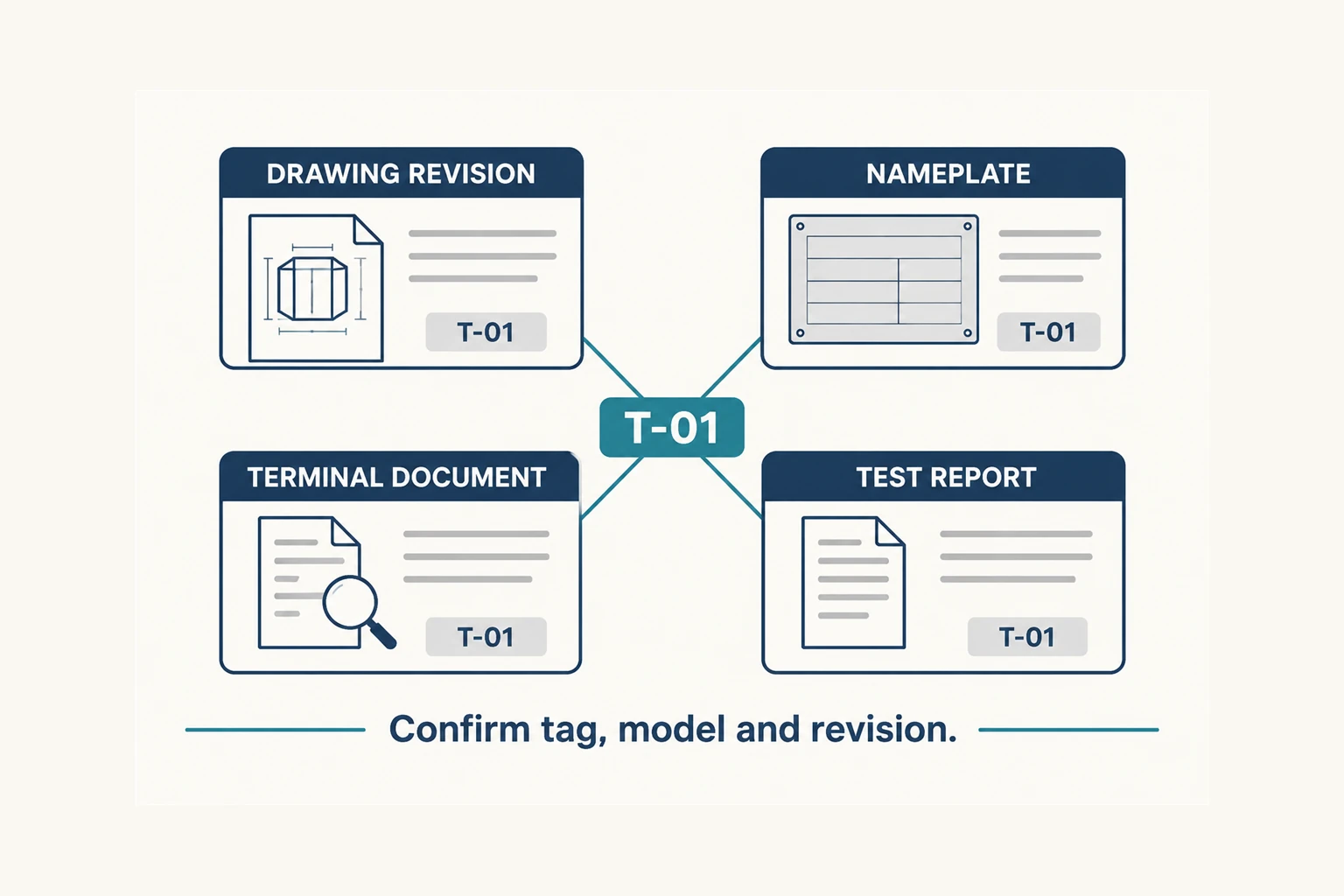
Create a record for each transformer tag. List the drawing revision, datasheet, nameplate or proposed nameplate, terminal document and requested test evidence. For replacement equipment, identify which records describe the existing unit and which describe the proposed replacement.
Compare the equipment tag, model identification and revisions across the documents before accepting them as one quotation package.
Ask the supplier to return a marked deviation list. Keep unanswered items in that list with a responsible reviewer. Use the transformer specification checklist to organize the enquiry and the transformer testing guide to define the evidence you need.
For a transformer enquiry, send the drawing revision and available schedule with the quantity and installation location. Identify the fields that still need designer confirmation and request an offered-model datasheet with the quotation.
The DOE handbook shows facing winding shapes and variations for different transformer types.[1] On your drawing, use the legend to identify the form and follow its equipment tag to the schedule. Avoid selecting a replacement from appearance alone.
They identify the iron-core example in DOE’s Figure 1.[1] Confirm that interpretation against the project legend. Those lines do not supply an orderable model, capacity, cooling method or isolation specification.
Use it to begin the enquiry, then identify missing inputs. Request a confirmed equipment schedule, offered-model datasheet and applicable technical documents. Eaton’s study-data example separately requests transformer ratings and other details alongside the single-line drawing.[6]